
Instantly Launch Your Favorite AI Prompts on Android
Have you ever experienced this while using AI?
- Typing the same prompts over and over again
- Unable to find useful prompts you used in the past
- Switching between multiple AI services like ChatGPT, Gemini, and Claude
- Feeling that prompt management on a smartphone is a hassle
To solve these problems, I created AI Prompt Launcher.
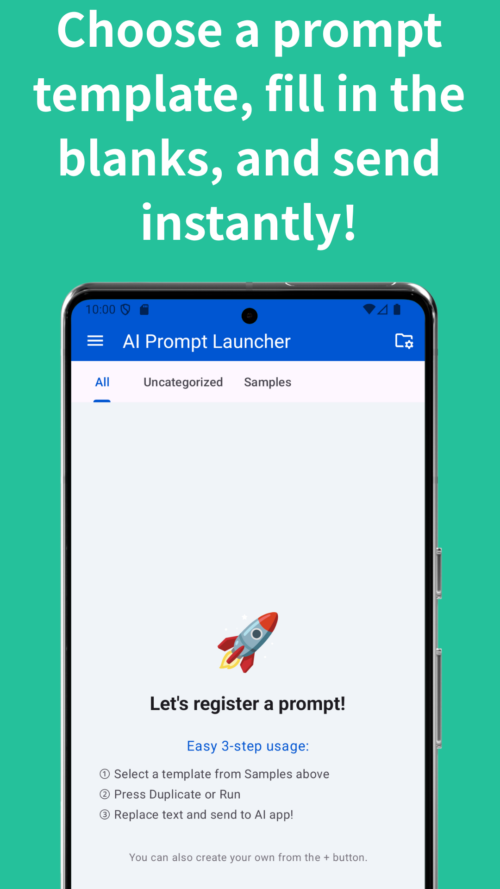
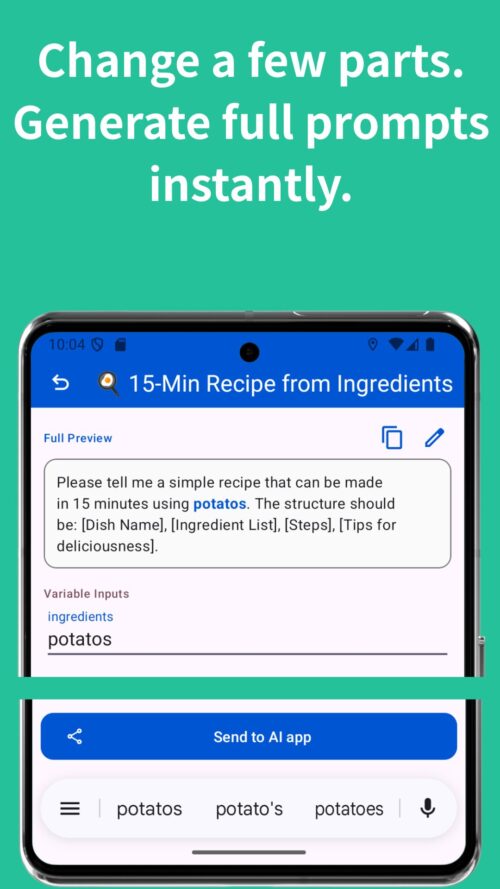
AI Prompt Launcher is an Android app that lets you save frequently used prompts as templates, fill in only the necessary parts, and send them to your AI app with a single tap.
What You Can Do with AI Prompt Launcher
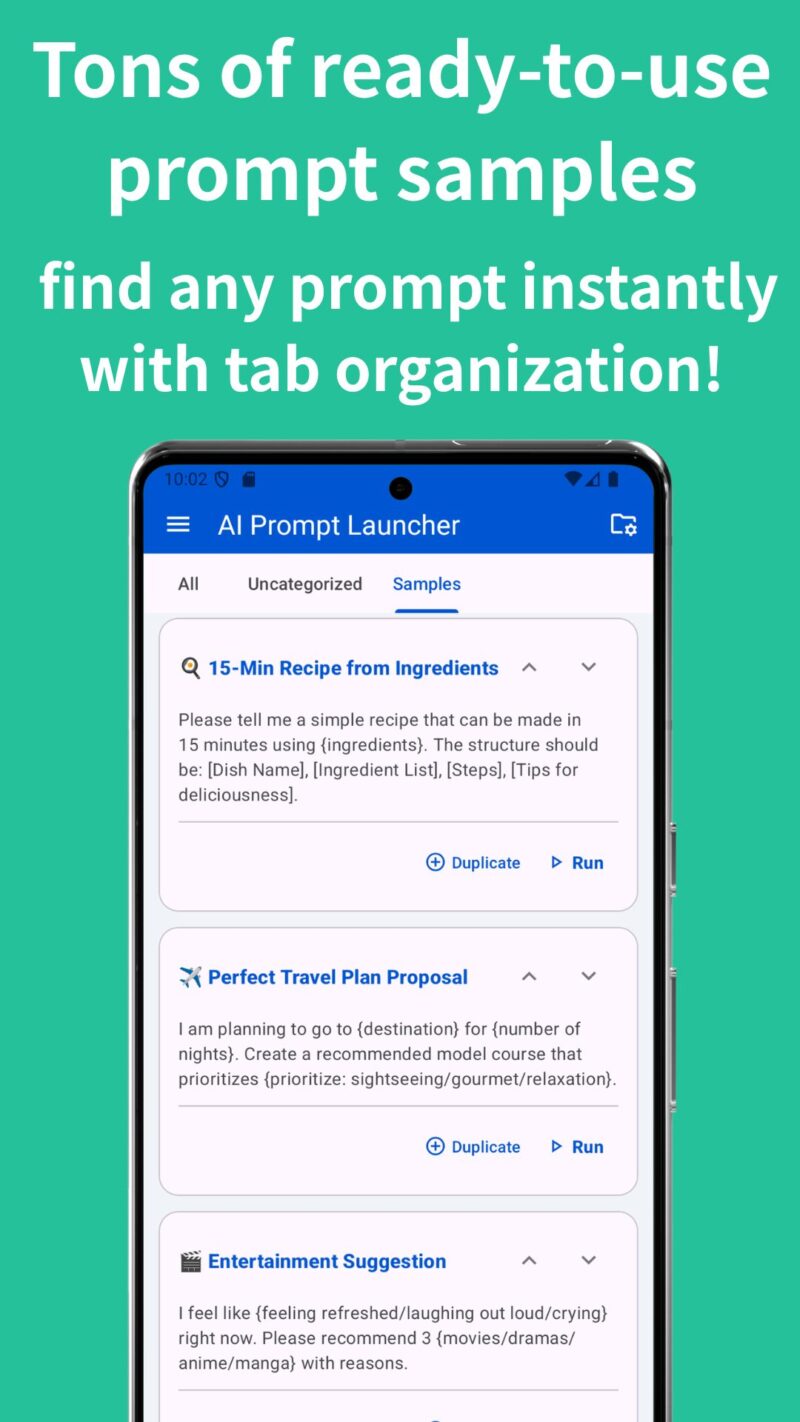
Turn Prompts into Templates
- You can save frequently used prompts as reusable templates.
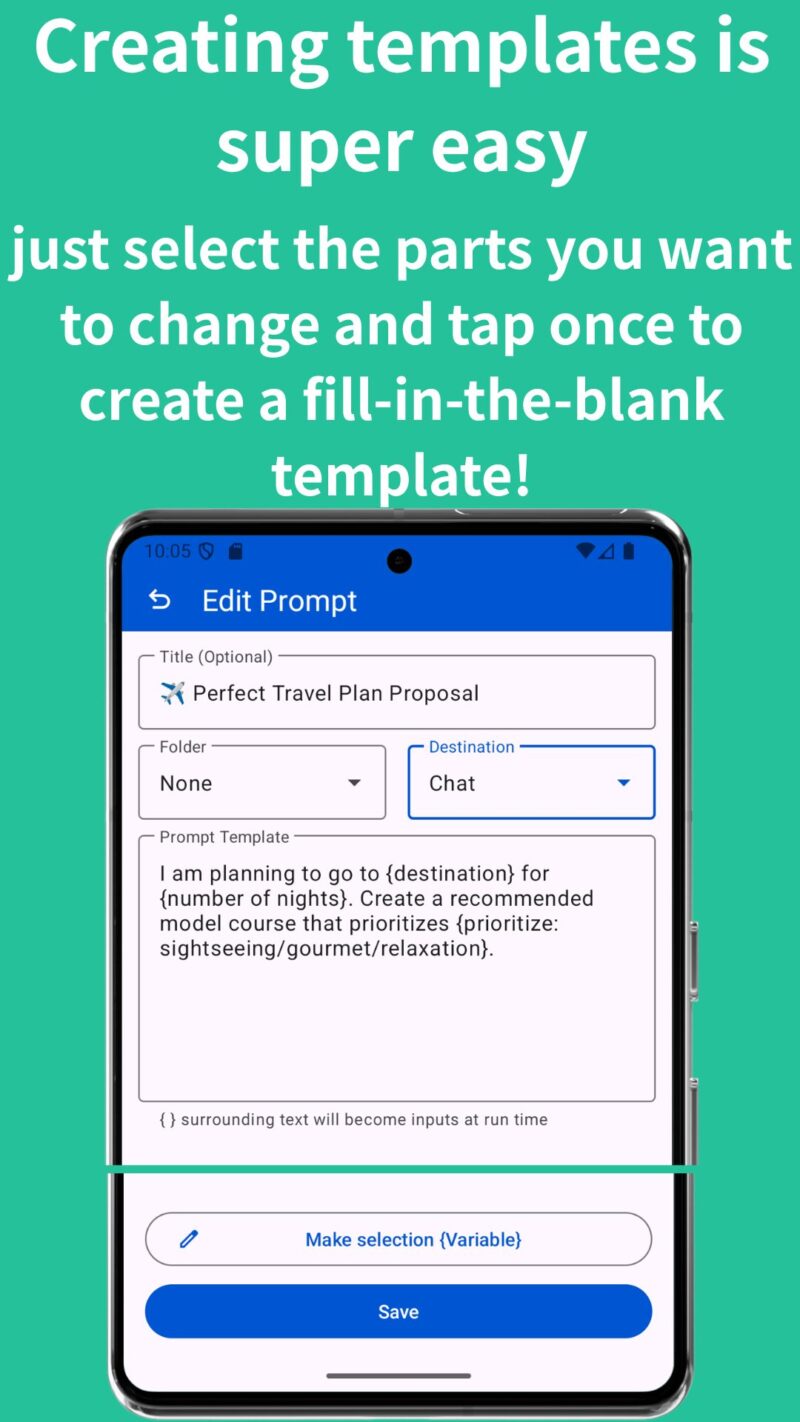
- Even better, simply surround the parts you want to change with
{ }, and dedicated input fields will be automatically generated when you run the prompt.
For example, if you save a prompt like:
“Please summarize the following text in a {tone} style. {text}”
then input fields for “tone” and “text” will appear automatically when launching the prompt. - No need to rewrite the entire prompt every time.
Send Prompts to AI Apps with One Tap
- Your created prompts can be shared instantly with AI apps such as ChatGPT, Gemini, Claude, and Perplexity with just one tap.
- Once you use an app, it will be remembered as your “usual app,” making future launches even faster and smoother.
Organize Prompts with Folders
- AI Prompt Launcher includes a folder feature to help you manage your prompts even as your collection grows.
- You can organize prompts by purpose, such as:
- Work
- Study
- Blog writing
- Social media posts
and more.
Easy Prompt Reordering
- With the up and down arrow buttons, you can quickly arrange prompts in the order you use them most often.
- For example, you can easily keep your favorite or frequently used prompts at the top.
Smooth Swipe Navigation
- Move between folders with simple left and right swipe gestures.
- Quick and comfortable navigation, even on a smartphone.
Includes a Trash Bin Feature
- Even if you accidentally delete a prompt, you can restore it from the trash bin.
- No need to worry about mistakenly removing important prompts.
Backup and Restore Support
- You can save your created prompts as JSON files.
- This makes it easy to back up your data or transfer it when changing devices.
Includes Many Practical Sample Prompts
- For users who feel that way, AI Prompt Launcher comes with many practical sample prompts that are ready to use right away.
Recommended For People Who…
- Use AI every day
- Want to reduce typing and repetitive input
- Want to build a personal prompt library
- Use multiple AI services depending on the task
- Want comfortable prompt management on a smartphone
Summary
- The key to getting the best results from AI is the prompt.
- With AI Prompt Launcher, you can organize your frequently used prompts, instantly launch them whenever needed, and quickly send them to your favorite AI apps.
- If you want to make your AI workflow faster and more comfortable, give it a try.
Download Link
For Android users / Completely free
Frequently Asked Questions (FAQ)
Q. What does this app do?
A. AI Prompt Launcher is an app that lets you save frequently used AI prompts as templates, fill in only the necessary parts, and quickly send them to AI apps such as ChatGPT, Gemini, Claude, and Perplexity. It helps reduce repetitive typing and makes AI workflows much faster.
Q. What makes this different from regular memo or note apps?
A. The biggest difference is that it is specifically designed for sending prompts to AI apps. Instead of just storing text, it focuses on template input, variable replacement, and one-tap sharing to AI services.
Q. What happens when I use { } in a prompt?
A. Text surrounded by { } is automatically recognized as an input field when the prompt is launched.
For example,
Please summarize the following text in a {tone} style.
{content}
When launched, input fields for “tone” and “content” will automatically appear.
This means you do not need to rewrite the entire prompt every time.
Q. Which AI apps are supported?
A. The app works with AI apps that support Android’s sharing feature, including ChatGPT, Gemini, Claude, and Perplexity.
Q. Do I need to select my AI app every time?
A. No. Once you use an AI app, it can be remembered as your preferred app, making future launches even faster.
Q. Can I use the app offline?
A. Yes. Prompt management, editing, and organization all work offline.
However, internet access is still required after sending prompts to external AI services such as ChatGPT.
Q. Are my prompts stored in the cloud?
A. No. Your prompts are stored locally on your device and are not automatically uploaded to external servers.
Q. Can I back up and restore my prompts?
A. Yes. The app supports backup and restore using JSON files, making it easy to transfer your prompts to a new device.
Q. Does the app support folders?
A. Yes. You can organize prompts into folders such as Work, Study, Blogging, or any category you prefer.
Q. Can I reorder prompts?
A. Yes. You can freely change the order using the up/down arrow buttons and keep your most-used prompts at the top.
Q. Can deleted prompts be restored?
A. Yes. The app includes a trash feature that allows deleted prompts to be restored.
Q. Is the app free to use?
A. Yes. All features are available for free.